


This page provides a comprehensive guide on how to install, configure, and use SIBS Payments plugin for Magento. The plugin seamlessly integrates with your Magento store, allowing you to securely process payments using your customers’ preferred payment methods.
Benefits

Simple step-by-step installation and setup for quick deployment.

Accept payments with major cards (Visa, Mastercard, Discover, American Express, UnionPay, Diners Club), as well as Multibanco Reference and MB WAY.

PCI DSS-compliant form, so you can focus only on selling.

Frictionless cardholder authentication with improved security for online transactions.
Before you start
Before installing the plugin to accept payments, ensure that during the onboarding process, you have received the necessary credentials to your email:
- Client ID
- Terminal Code
- Payment Entities (optional, required only if you want to enable payments with MB References)
You will also need access to the SIBS Backoffice, where you can find the following information:
Once you have these, you will be able to easily install the plugin on your platform.

Installation guide
Step 1: Install the plugin
Step 2: Access the plugin settings
Step 3: Insert your authentication credentials
Step 4: Customize your payment options
Step 1: Install the plugin
- You will receive the .zip file with the necessary files from your Account Manager.
- Installing the plugin requires some technical knowledge. If you are comfortable dealing changing your webhosting settings and accessing your server, you can download the technical guide.
Step 2: Access the plugin settings
After installing, and whenever you need to access your shop authentication configurations or make changes in your shop’s payment options, access the plugin configuration.
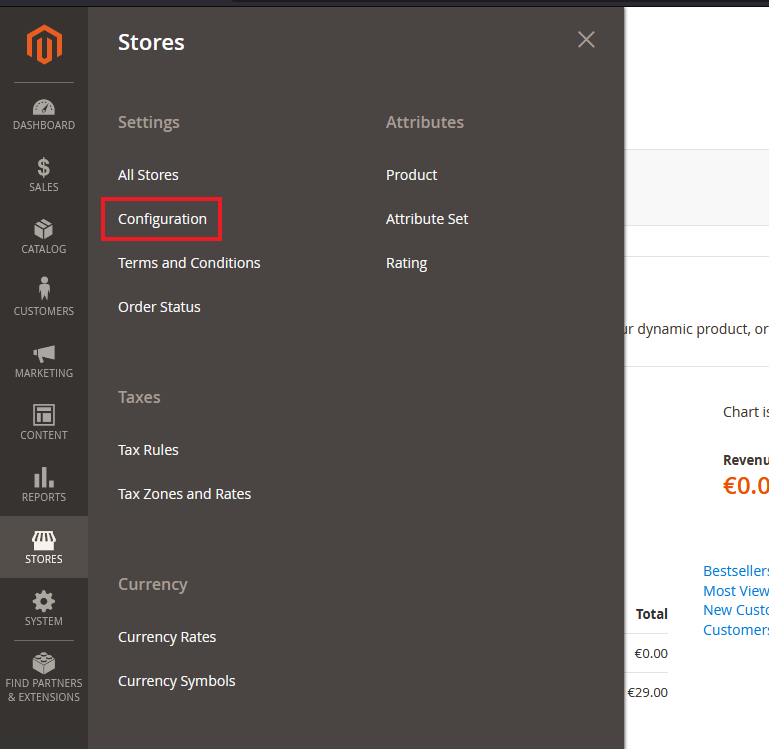
1. Go to Stores > Configuration
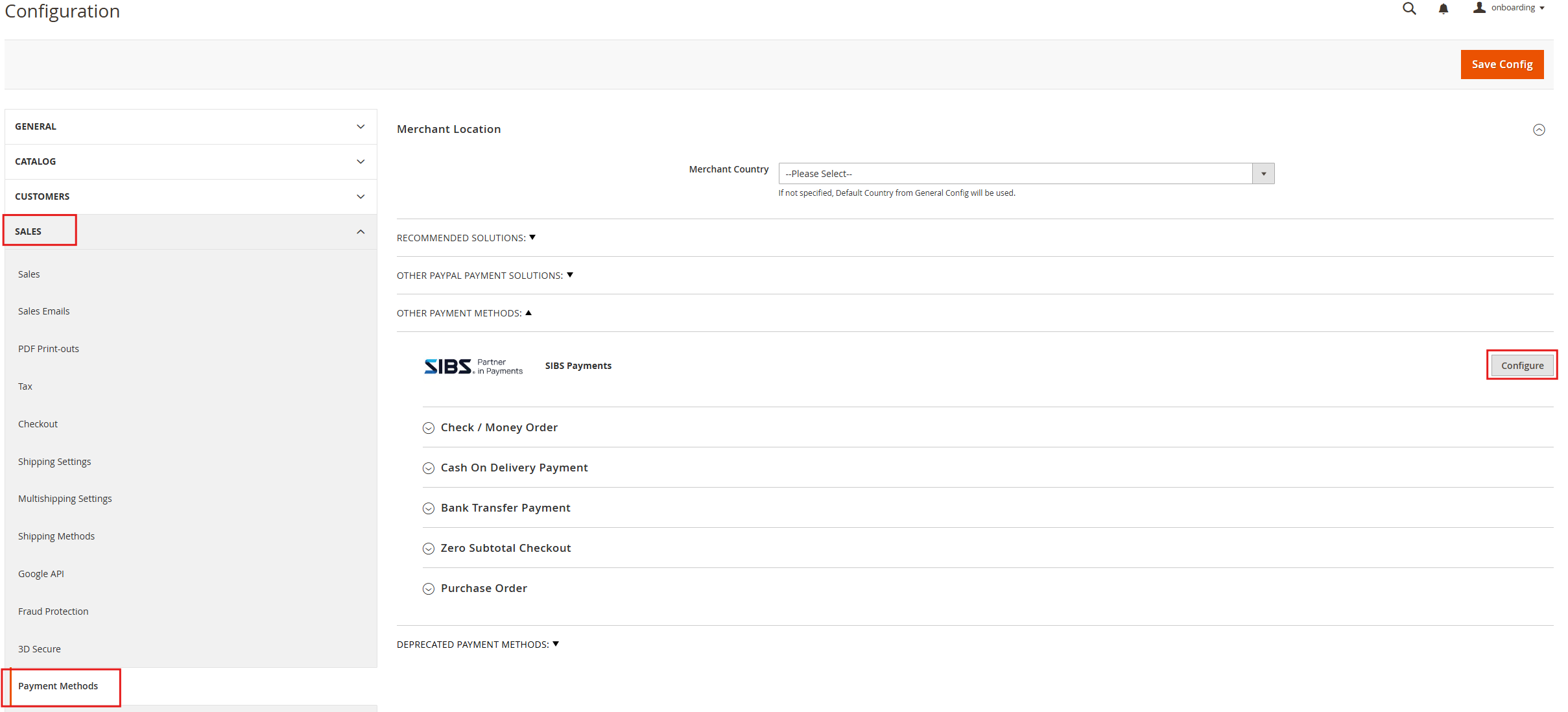
2. Click on the SALES option that appears and then Payment Methods, and then you can access the SIBS plugin configuration by clicking Configure in the next panel.
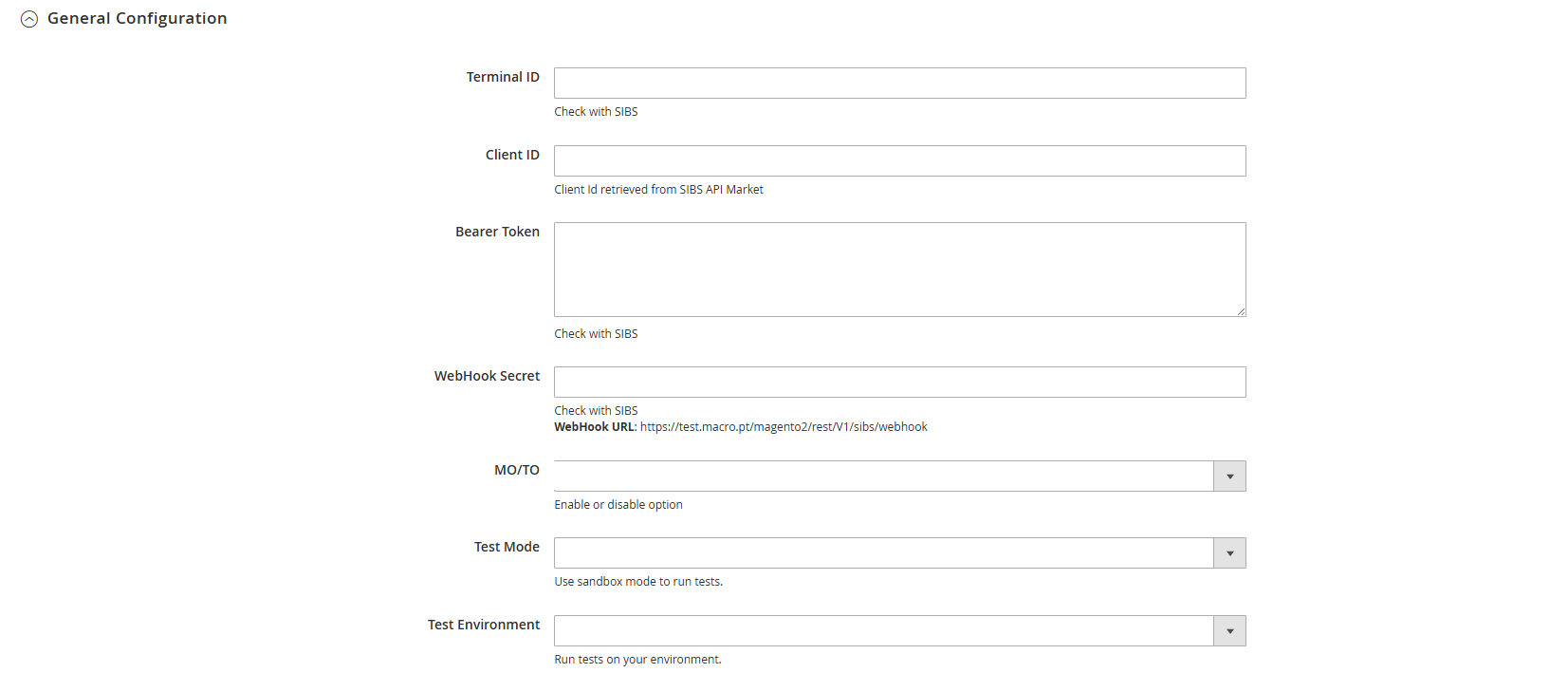
Step 3: Insert your authentication credentials
At this step you will input the information you got mentioned at Before you start from the Install Plugin guide.
Step 4: Customize your payment options
SIBS plugin for Magento supports a range of popular payment methods, including MB WAY, MULTIBANCO References and Cards (VISA, Mastercard, etc.).
These payment method offer secure and convenient ways for customers to make purchases online. With our plugin, you can easily configure payment settings to accept these payment methods.
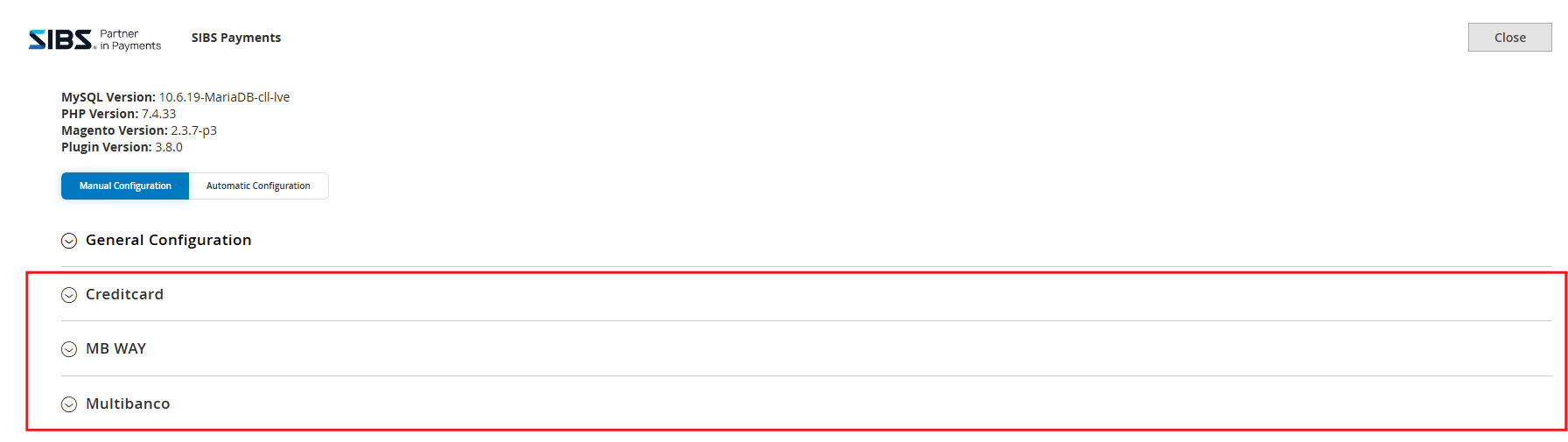
- Go to the plugin settings;
- Below the General Configuration you can find the configurations for each payment method.
MB WAY
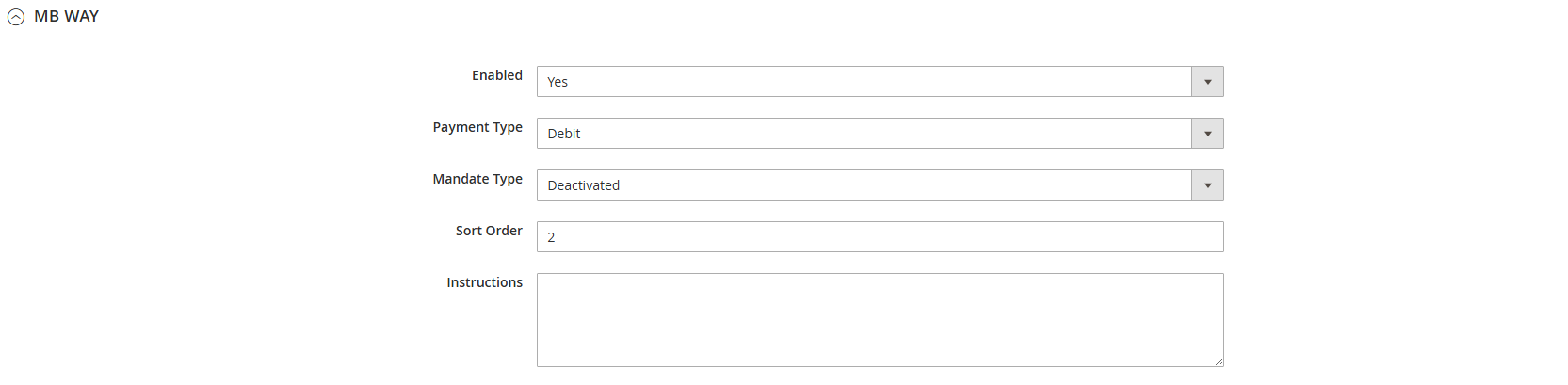
Transaction-mode
- Pre-Authorization: The customer authorizes the payment but is only charged after the merchant authorizes.
- Debit: Usual card payment
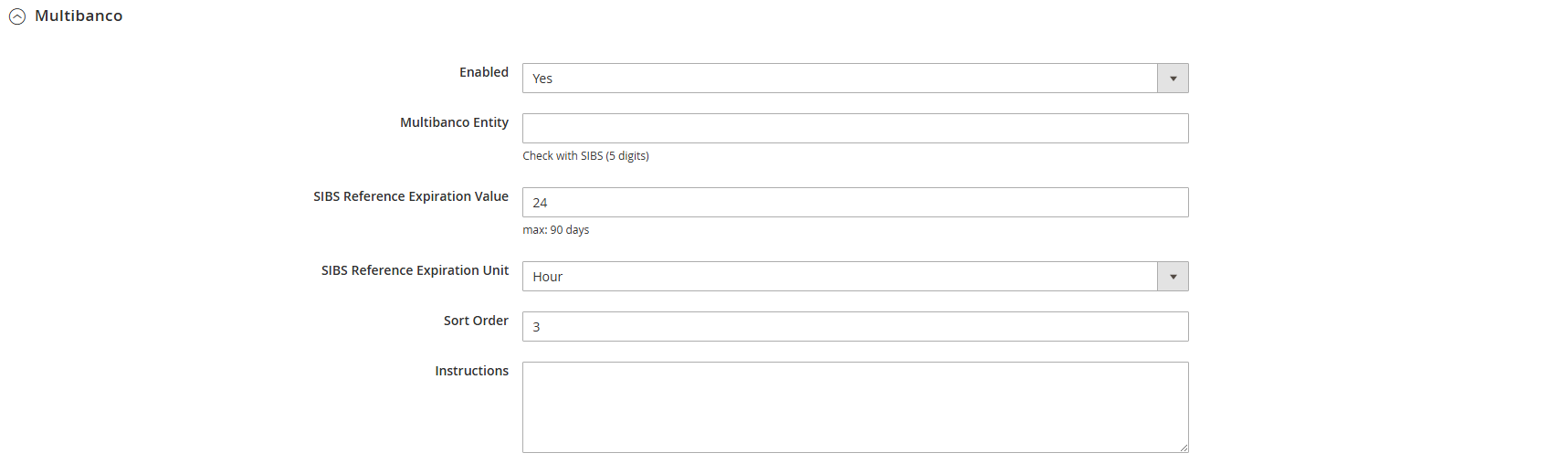
MULTIBANCO References

Cards
Besides being able to activate or de-activate this payment method, in the SIBS Cards configuration you can select which card types you accept and will be displayed in the checkout page.

Transaction-mode
- Pre-Authorization: The customer authorizes the payment but is only charged after the merchant authorizes.
- Debit: Usual card payment