



Link to Pay lets you accept payments through a unique, shareable link. You can quickly customize, create, manage, and share payment links through various channels, like email, social media, text messages.
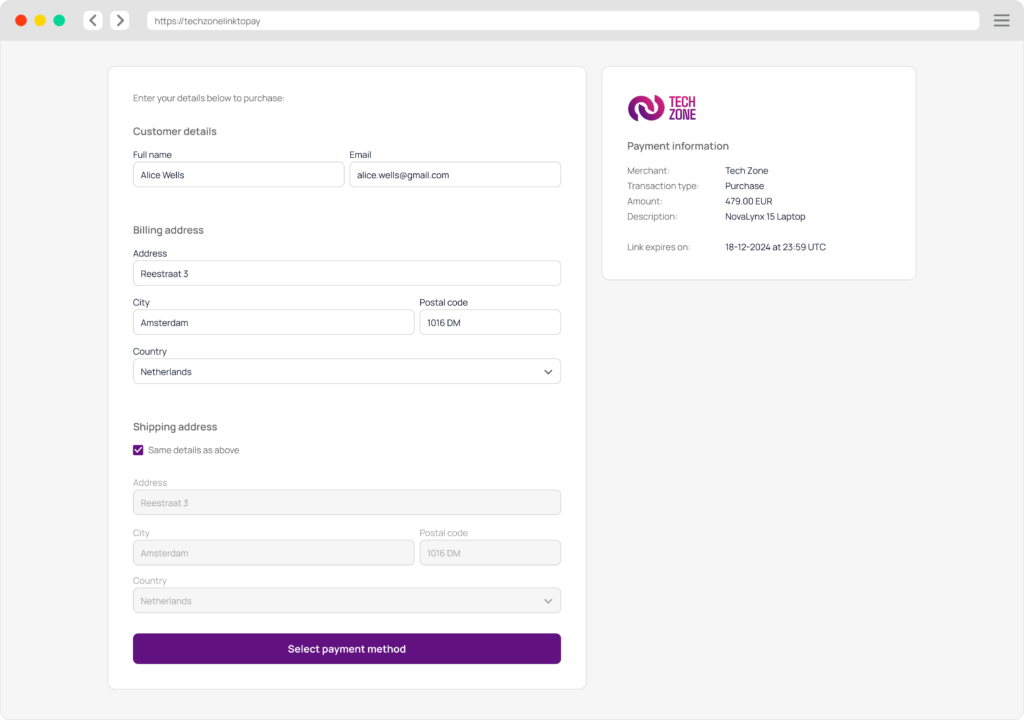
When customers click the link, they are directed to a dedicated payment page with a Payment Form. Once a payment is completed, you will receive a notification via webhook, if previously set up.
This service streamlines payment acceptance for businesses of all sizes, offering simple link creation in SIBS Backoffice, or through API for code-based integrations.

Payment methods

Link validity and usability
When using Link to Pay, you can configure the link’s expiration period, ranging from 48 hours, 72 hours or to a maximum of 90 days.
Additionally, you have the choice to set a payment link for either single or multiple uses. In a single-use case, the link is designed for one successful transaction, while in multiple-use cases, it can be shared with several shoppers without any usage limitations, until the link reaches its expiry date.
Manage payment links
The following information is provided regarding existing links:
| Category | Description |
|---|---|
| Link ID | Unique identifier generated upon the moment the link is created. |
| Reference | Link reference text. |
| Link creation date | Date link creation. |
| Link expiry date | Expiry date and time of the link. |
| Status | This indicates the status of a payment link: ‘Active’ A Payment Link that has not been used, either newly created or reactivated by the merchant, and whose current date and time are prior to the set expiry date. It can be utilized by the customer to make payment. ‘Inactive’ A single type Payment link that has been used. It cannot be used by the customer to make other payments. ‘Cancelled’: A Payment Link that has been cancelled by the merchant. It cannot be used anymore. ‘Expired’ A Payment Link that has its current date and time surpassing the set Expiry Date defined in the creation. It cannot be used anymore. ‘Deactivated’ A Payment Link that has been deactivated by the merchant and does not enable to perform payments. It can be activated again by the merchant if the Expiry Date has not been surpassed. ‘Suspended’ Indicates that a transaction performed using the Payment Link is pending. It cannot be used. |
On SIBS Backoffice, you can expand each row on the Link to Pay menu and see more details regarding a selected link.
If you click the three dots icon, you may have the following actions at your disposal:
- Copy Link – enables you to quickly copy the link for easy sharing.
- Deactivate Link – temporarily suspends the link. It can be reactivated.
- Cancel Link – permanently terminates the link, rendering it non-functional. It cannot be reactivated.
- Activate Link – turns a previously deactivated link active again.
- Associated Transactions – redirects you to Transactions menu in the SIBS Backoffice displaying a list of all transactions of the last 31 days associated to the selected payment link.
Step 1: Define a template
Before you start using Link to Pay, define in SIBS Backoffice a template for your payment page.
- Go to SIBS Backoffice and find SIBS Payment Gateway > Link To Pay in the left-side menu. Click the Customize Landing Page button.
- Add a name, theme, default language, and upload a logo for your template. Then click Save.