

Overview
The Recurring Payments area provides access to recurring payment agreements associated with the selected merchant.
Authorized users can view registered recurring payments, consult their operational status, remove active recurring payments, review the transactions associated with a recurring payment, and inspect the detailed information available for each recurring payment.
Recurring Payments are available only for merchants with the corresponding SIBS Payment Gateway service enabled.
Accessing Recurring Payments
Recurring Payments are available from the SIBS Payment Gateway section of the SIBS Backoffice navigation menu.
Selecting Recurring Payments displays the list of recurring payments associated with the currently selected merchant.
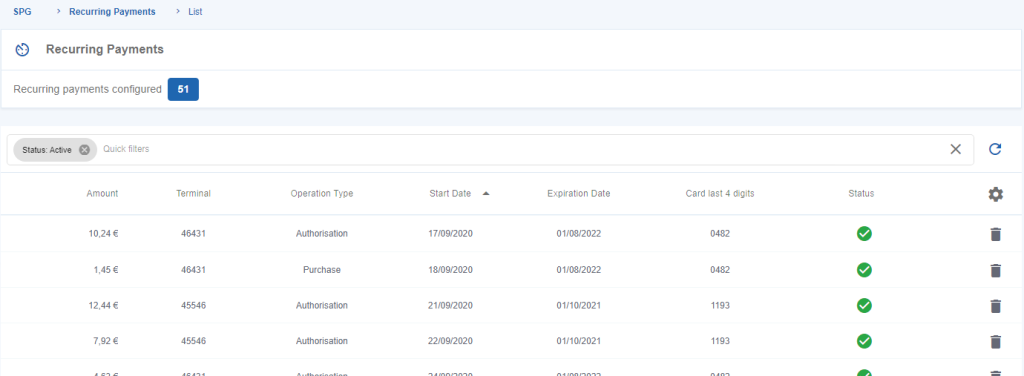
Figure 1 – Merchant’s “Recurring Payments” list
Figure 1 illustrates the Recurring Payments list presented in the Backoffice. The information displayed for each recurring payment is described below.
Viewing Recurring Payments
The Recurring Payments page displays all recurring payment agreements associated with the selected merchant.
The following table describes the information displayed for each recurring payment in the Recurring Payments list.
| Field | Description |
|---|---|
| Amount | Total amount associated with the recurring payment. |
| Terminal | Terminal where the recurring payment was registered. |
| Operation Type | Indicates whether the recurring payment was created as an Authorisation or a Purchase. |
| Frequency | Frequency configured for the recurring payment. |
| Start Date | Date on which the recurring payment becomes active. |
| Expiration Date | Date on which the recurring payment expires. |
| Last 4 PAN Digits | Displays the last four digits of the payment card associated with the recurring payment. |
| Status | Indicates whether the recurring payment is Active or Inactive. |
By default, only Active recurring payment records are displayed.
The list provides a consolidated operational view of all recurring payment agreements currently available for the selected merchant.
Removing a Recurring Payment
Authorized users can deactivate an active recurring payment directly from the recurring payments list.
To remove a recurring payment:
Step 1. Locate the required recurring payment.
Step 2. Select the Delete (dustbin) icon associated with the recurring payment.
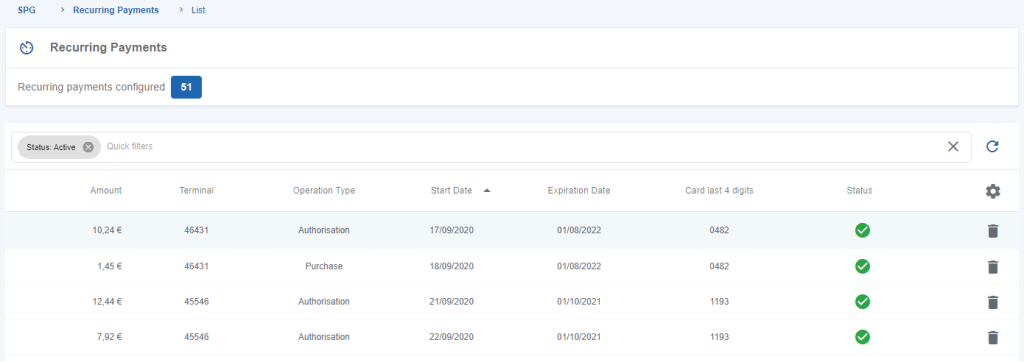
Figure 2 – Remove a Recurring Payment
A confirmation dialog is displayed.
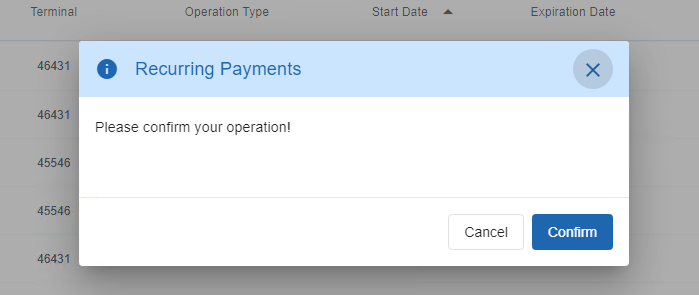
Figure 3 – Confirm the removal of a Recurring Payment
Step 3. Confirm the operation.
After confirmation, the recurring payment is removed from the list of active recurring payments.
Viewing Transactions Associated with a Recurring Payment
The Backoffice allows users to review the transactions associated with a recurring payment.
To display the associated transactions:
Step 1. Locate the required recurring payment.
Step 2. Select the recurring payment entry.

Figure 4 – Check for transactions associated with the Recurring Payment
The Backoffice displays the transactions associated with the selected recurring payment.
By default, the list contains the transactions processed during the previous seven days.
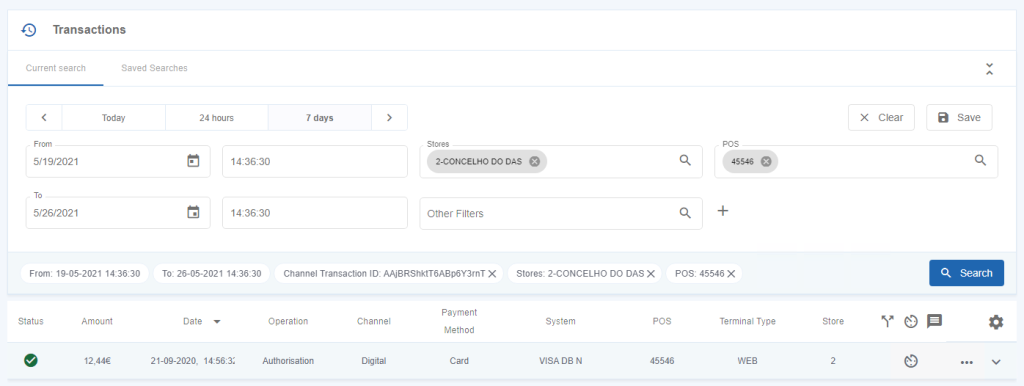
Figure 5 – List of transactions associated with a Recurring Payment
Recurring transactions are identified in the transaction list by the recurring transaction indicator.
This indicator allows users to distinguish recurring payment transactions from standard payment transactions directly within the transaction list.
Viewing Recurring Payment Details
Detailed information about a recurring payment can also be accessed from the Transactions area of the Backoffice.
To view the recurring payment details from a transaction:
Step 1. Open the Transactions menu.
Step 2. Locate the transaction associated with the recurring payment.
Step 3. Open the Options menu.
Step 4. Select the recurring payment details.
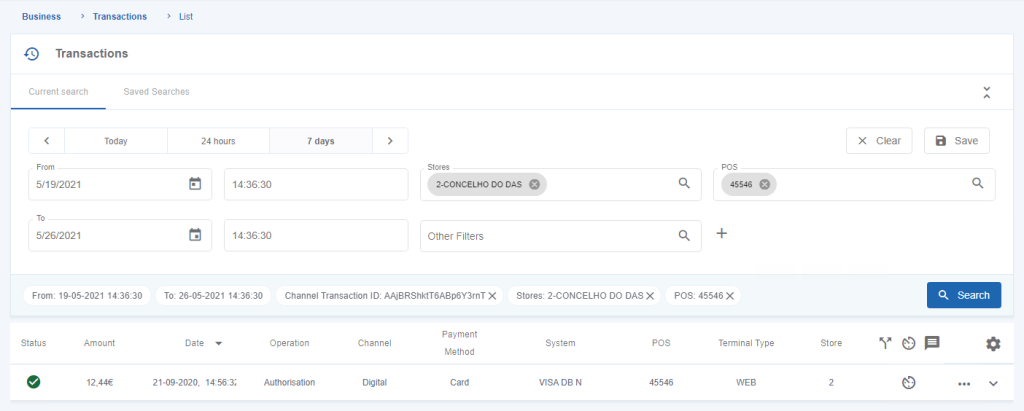
Figure 6 – “Recurring Payment” detail in the “Transactions” menu
The detailed recurring payment information is displayed.
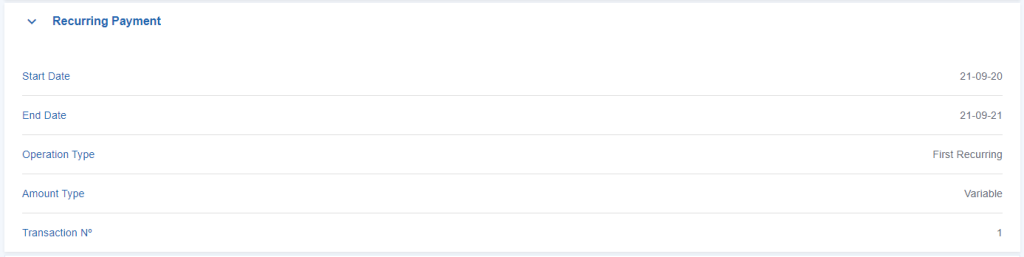
Figure 7 – Recurring Payment’s detail
The Backoffice also provides a consolidated overview of the recurring payment.
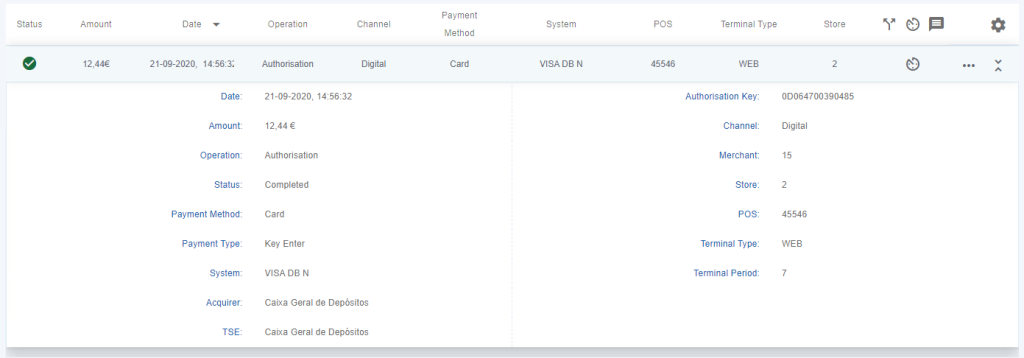
Figure 8 – Recurring Payment’s overview
Permissions
Access to the Recurring Payments area is controlled through the SIBS Backoffice permission model.
The recurring payments available to each user depend on:
- The authenticated user’s profile.
- The permissions assigned to that profile.
- The currently selected merchant.
- The Recurring Payments service being enabled for the merchant account.
As a result, different users may have access to different recurring payment information while using the same Backoffice environment.