

Overview
The SPG App area allows merchants to manage the application credentials required for integrations with the SIBS Payment Gateway (SPG 2.0).
While the Credentials area manages merchant application credentials associated with merchant profiles and terminals, the SPG App provides access to the OAuth application credentials (Client ID and Client Secret) used by SPG 2.0 applications…
These credentials uniquely identify an application during the authentication process. They are typically configured in server-to-server applications and used during the OAuth authentication process to obtain the Bearer Tokens required for subsequent API requests.
From the SPG App area, authorized users can:
- Obtain the Client ID and Client Secret assigned to the merchant application.
- View the Client ID associated with an application.
- View the corresponding Client Secret.
- Retrieve the credentials required by server-to-server integrations.
Access to this functionality is available only to users with the appropriate permissions.
Relationship with API Authentication
The Client ID and Client Secret obtained through the SPG App are fundamental components of the SIBS Payment Gateway authentication model.
Applications use these credentials to authenticate with the SIBS Payment Gateway and obtain a Bearer Token. The Bearer Token is then included in subsequent API requests to authorize access to the services enabled for the merchant.
This chapter describes only the operational management of the application credentials within the SIBS Backoffice.
For a complete description of the authentication process, including Bearer Token generation and authenticated API requests, refer to A.3 – API Requests. For implementation examples using these credentials, refer to the relevant integration chapters in D. Payment Methods and to F.1 – End-to-End Integration Examples.
Accessing the SPG App
The SPG App area is available from the SIBS Payment Gateway section of the SIBS Backoffice navigation menu.
Selecting SPG App displays the application credential management page.
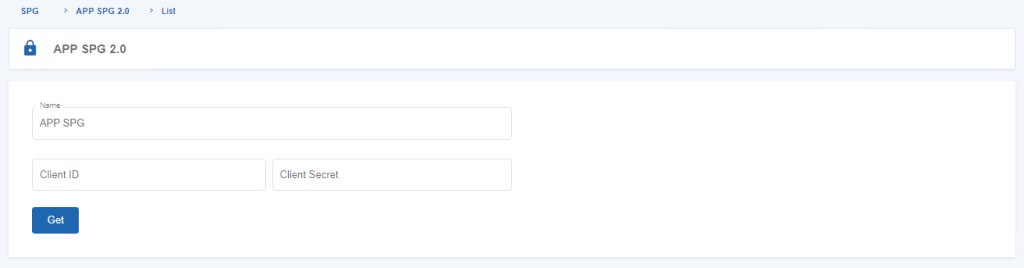
Figure 1 – Getting a Client ID and a Client Secret in the SPG App
Generating Application Credentials
The SPG App allows authorized users to obtain the Client ID and Client Secret associated with the merchant application.
To obtain the application credentials assigned to the merchant application:
Step 1. Open the SPG App area.
Step 2. Select the option to obtain the application credentials.
Before completing the operation, the Backoffice requests confirmation of the authenticated user’s identity.
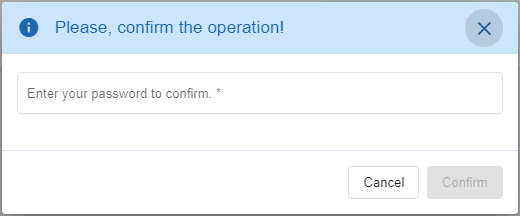
Figure 2 – Enter Password to Confirm the Operation in the SPG App
Step 3. Enter the account password.
Step 4. Confirm the operation.
After successful confirmation, the Client ID and Client Secret associated with the merchant application are displayed.
Viewing the Client ID and Client Secret
The SPG App allows authorized users to display the application credentials associated with the merchant account.
Because these credentials provide access to the authentication process, the Backoffice requires password confirmation before displaying them.
To view the application credentials:
Step 1. Open the SPG App area.
Step 2. Select the option to view the application credentials.
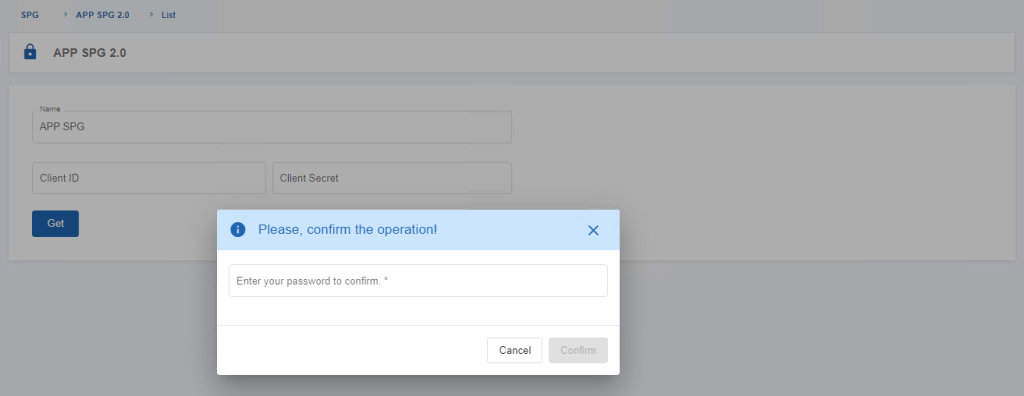
Figure 3 – Enter Password to View Client ID and Client Secret in the SPG App
Step 3. Enter the account password.
Step 4. Confirm the operation.
The Backoffice displays the Client ID and Client Secret associated with the merchant application.
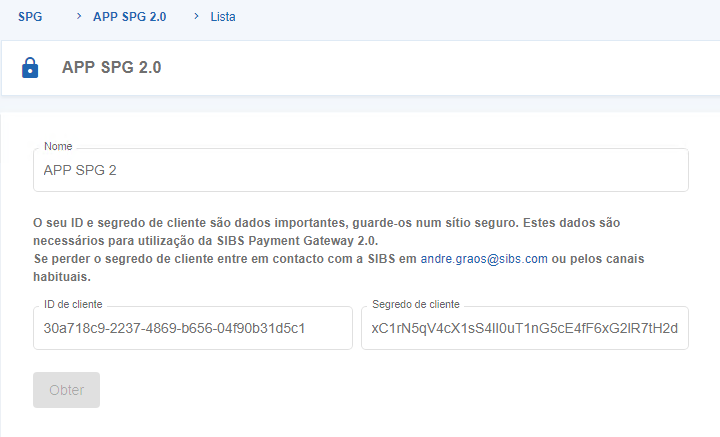
Figure 4 – View Client ID and Client Secret in the SPG App
These credentials are subsequently used during the authentication process to obtain Bearer Tokens for authenticated requests to the SIBS Payment Gateway APIs.
Important
The Client ID and Client Secret displayed in the SPG App are application credentials and must be stored securely and must never be exposed in client-side applications, browser code, or publicly accessible repositories.
These credentials are distinct from:
- Bearer Tokens, which are short-lived authentication tokens obtained using the Client ID and Client Secret.
- Payment card tokens, which identify tokenized payment cards and are managed through G.1.7.4 – Token Management.

Permissions
Access to the SPG App area is controlled through the SIBS Backoffice permission model.
The SPG App operations available to each user depend on:
- The authenticated user’s profile.
- The permissions assigned to that profile.
- The currently selected merchant.
- The SPG App service being enabled for the merchant account.
As a result, different users may have access to different SPG App operations while using the same Backoffice environment.