

Overview
The Dashboard Search feature allows users to refine the analytical information displayed within the Dashboard by selecting specific Stores and Terminals.
Advanced Search enables users to focus Dashboard information on a particular operational scope while preserving the currently selected Dashboard filters and analytical categories.
Users can also save frequently used searches, allowing them to be reused quickly in future Dashboard sessions.
Advanced Search
The Dashboard provides an Advanced Search feature that allows users to filter Dashboard information by:
- Store
- Terminal (POS)
The selected search criteria are applied to the Dashboard and update the displayed analytical information accordingly.
Users may also save frequently used search criteria to simplify future searches.
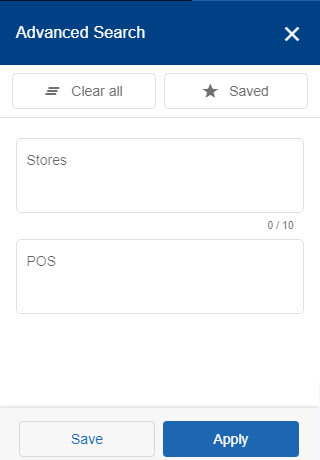
Figure 1 – “Advanced Search” option
Search Behaviour
The Dashboard supports flexible combinations of Stores and Terminals.
When using Advanced Search:
- Users may select no Store, one Store, or up to ten Stores.
- For each selected Store, users may select no Terminal, one Terminal, or multiple Terminals.
- When a Store is selected, all Terminals associated with that Store become available for selection.
- If no Terminal is selected, the Dashboard displays aggregated information for all Terminals associated with the selected Store.
- When multiple Stores are selected, the Dashboard makes the associated Terminals of all selected Stores available for selection.
- If no Terminal is selected for the selected Stores, the Dashboard displays aggregated information for all associated Terminals.
These search options allow users to analyse Dashboard information at different organisational levels while maintaining the selected analytical filters.
Saved Searches
Frequently used search criteria can be saved for future use.
Saved searches allow users to quickly apply previously configured Store and Terminal selections without recreating the search criteria each time.