

Overview
This section describes how to access and navigate to the Virtual Terminal (vTerminal) within the SIBS Backoffice.
This section describes the operational access flow used to execute manual payment operations within the vTerminal environment, including MB WAY Payments, Multibanco Reference, and MB WAY Authorized Payment operations.
1. Backoffice Access
The user starts from the SIBS Backoffice main interface after successful authentication.
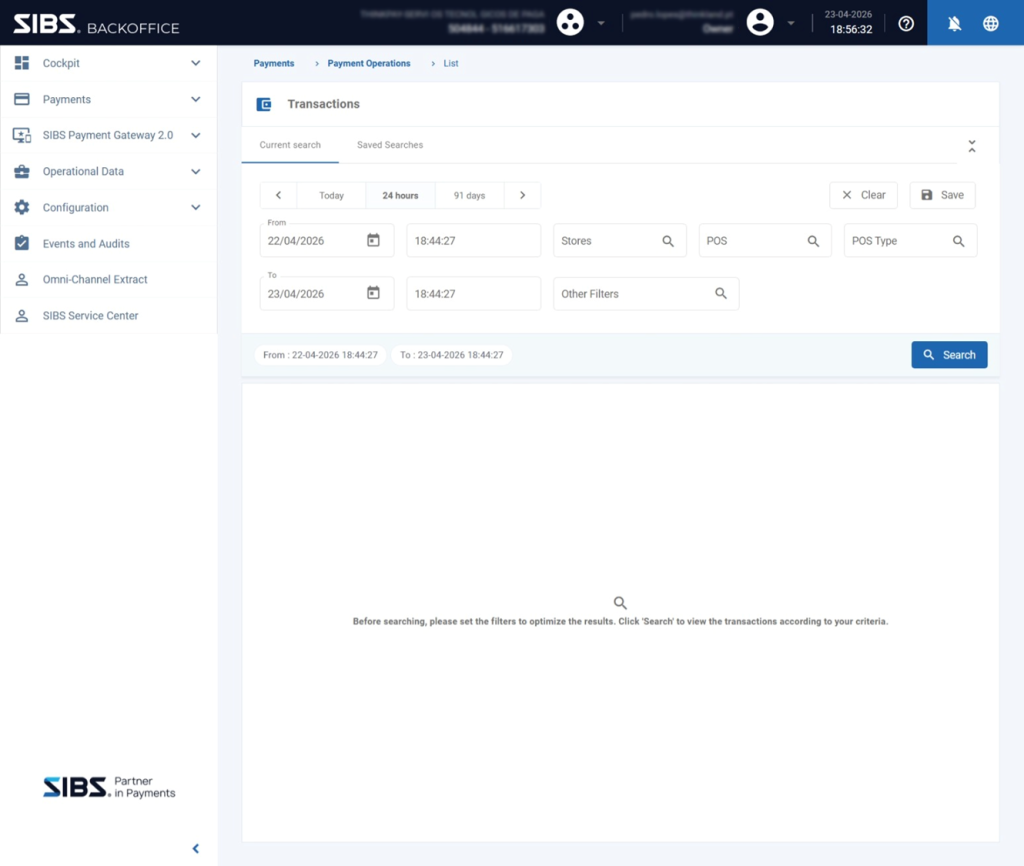
2. Navigation to vTerminal
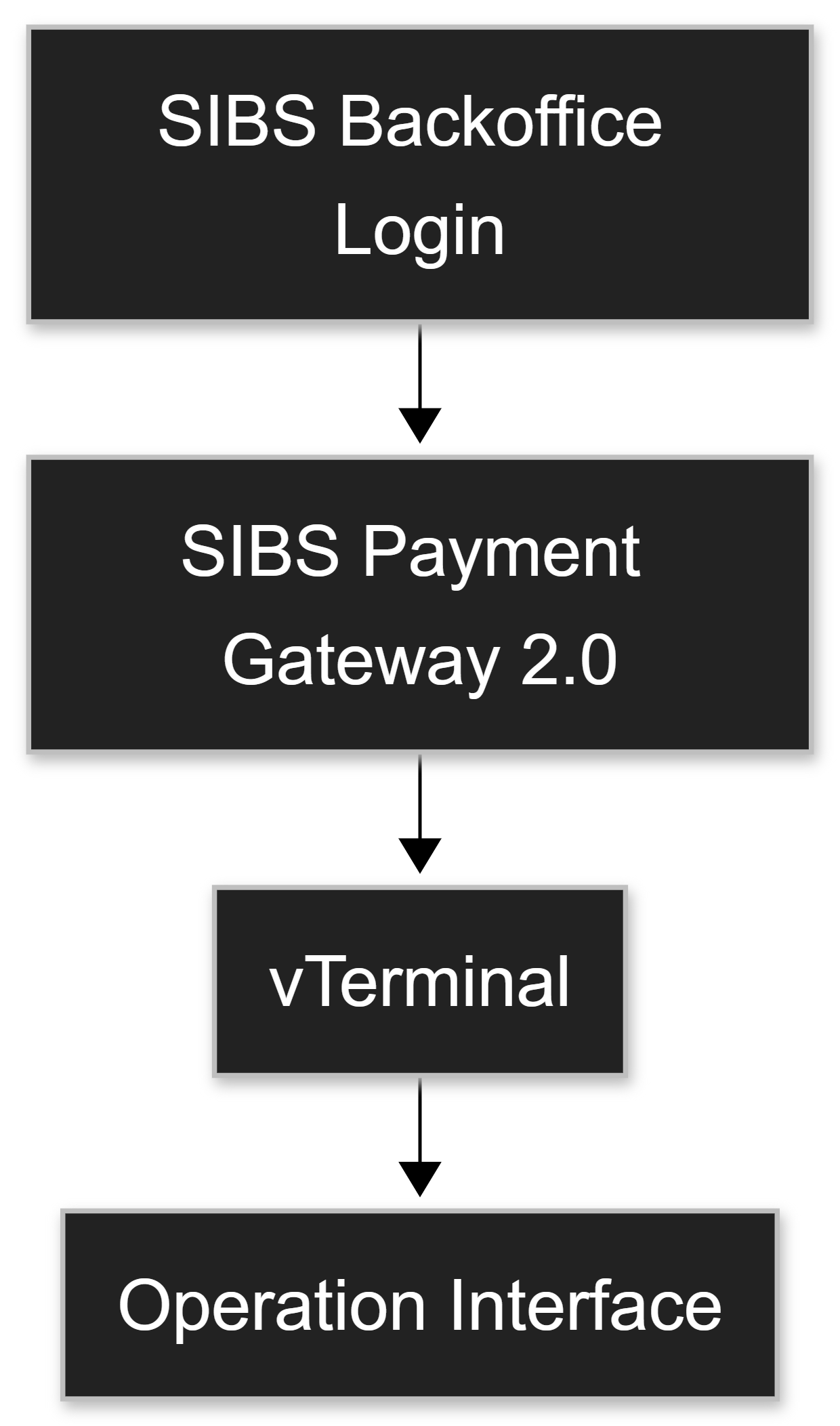
From the main Backoffice interface:
- Locate the left-side navigation menu
- Expand SIBS Payment Gateway 2.0
- Click on vTerminal
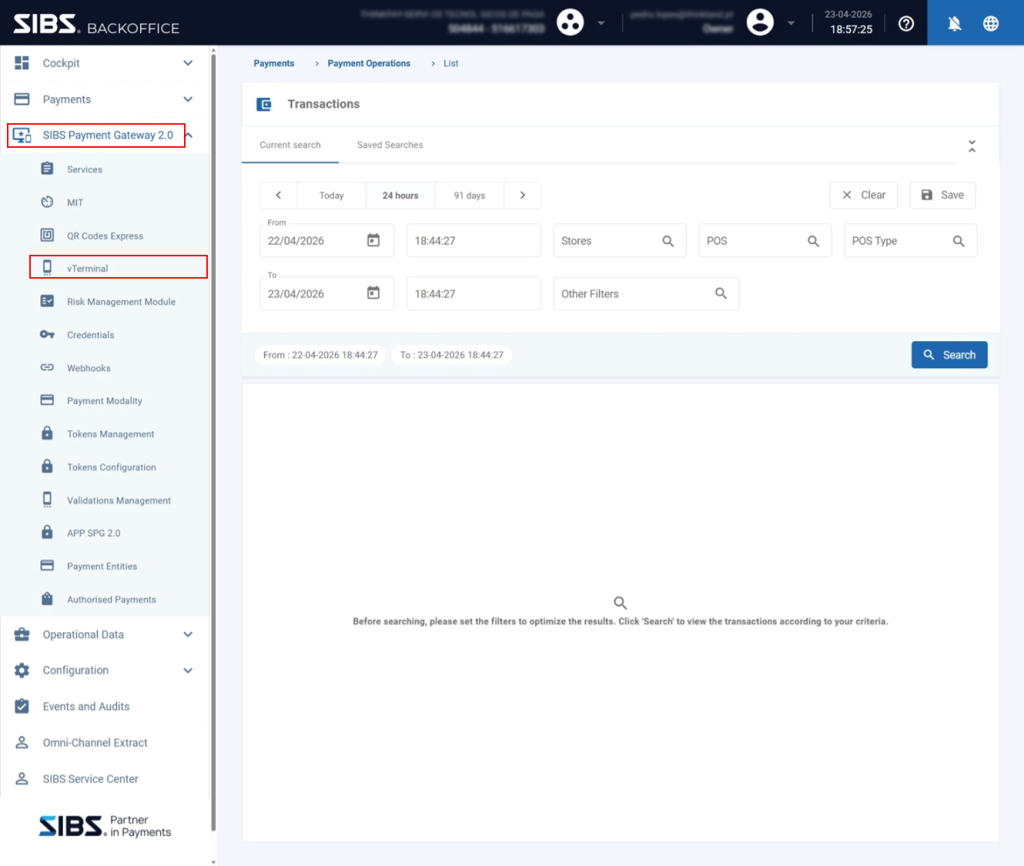
This action opens the vTerminal module.
3. Opening the vTerminal
Once inside the vTerminal module:
- The vTerminal interface is displayed
- The active terminal identifier (POS) is shown at the top of the interface (for example, POS: 58019).
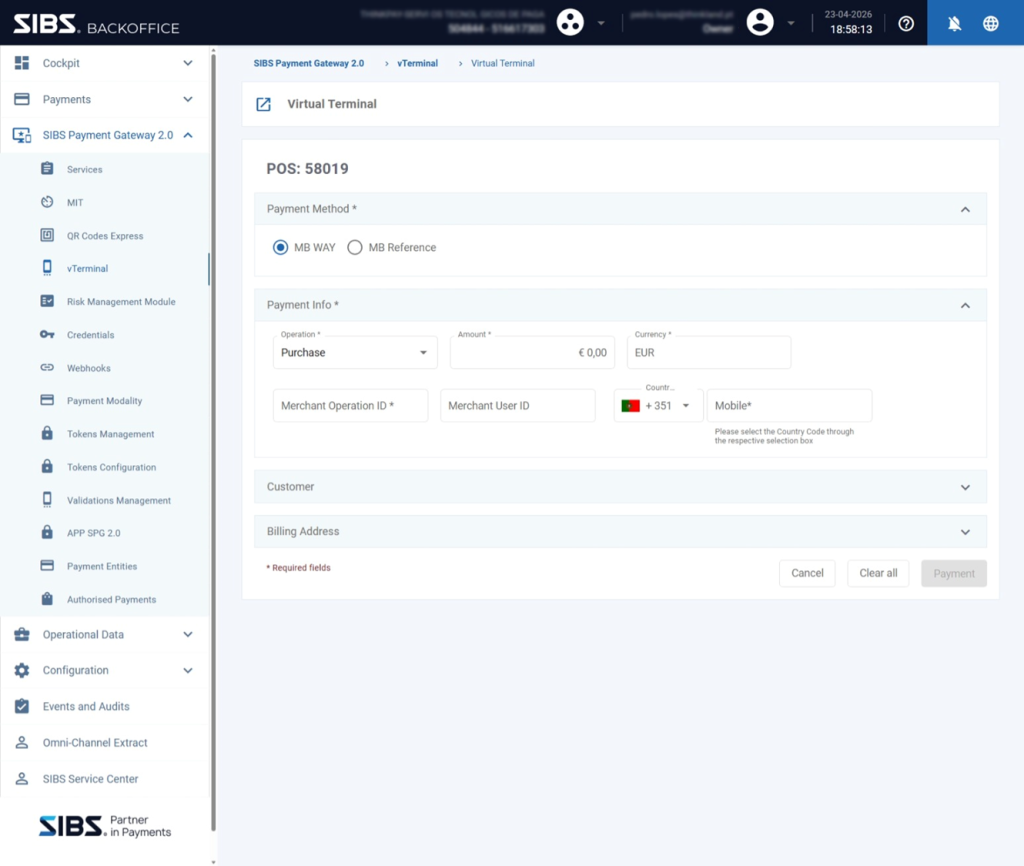
At this stage:
- A default payment method may already be selected
- The operation form is ready to be configured
4. Initial Interaction Considerations
When accessing the vTerminal:
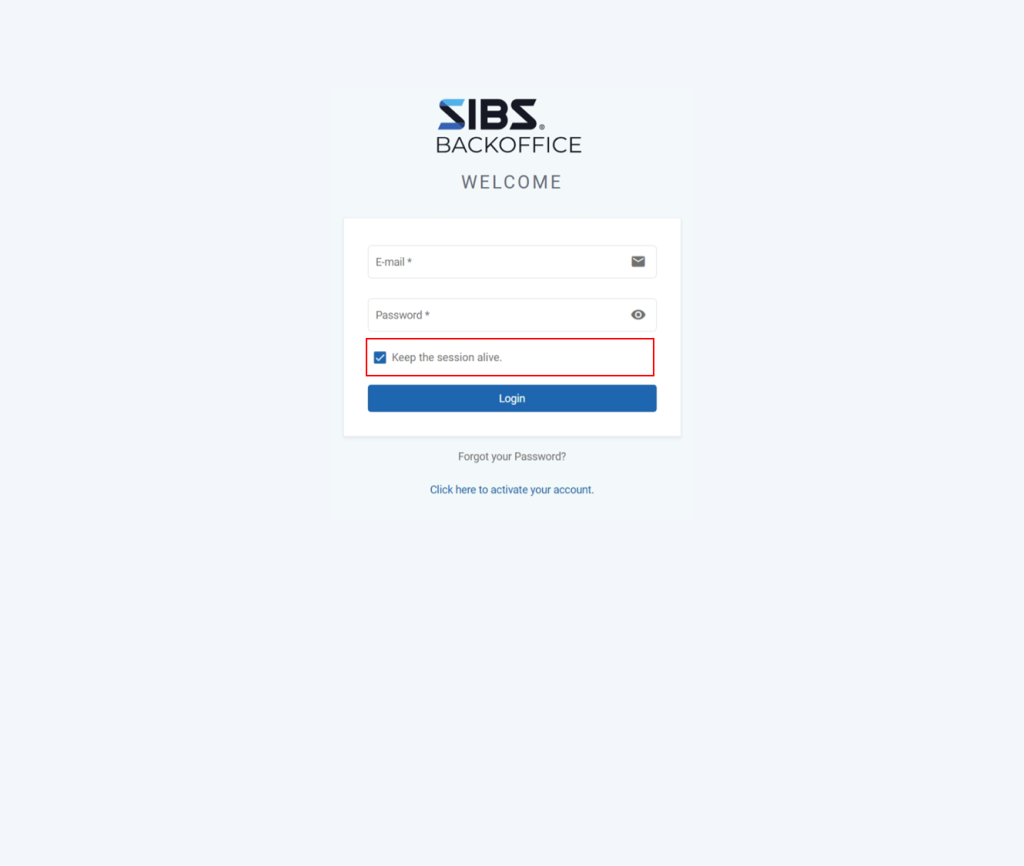
- If the Backoffice session is not configured to remain active, session expiration warnings may appear during operation execution.
- Although this does not affect the initial navigation flow, it may require user re-authentication during operational procedures.
- To reduce the risk of operational interruption, it is recommended to enable the “Keep the session alive” option during authentication.
Summary
Accessing the vTerminal consists of:
- Starting from the SIBS Backoffice main interface
- Navigating through SIBS Payment Gateway 2.0 → vTerminal
- Opening the Virtual Terminal interface associated with a POS
This establishes the operational entry point for the manual payment procedures and operational workflows described in the following vTerminal sections of this documentation.