

Overview
The Multibanco Reference flow in the Virtual Terminal allows the operator to generate a payment reference that can be used by the customer to complete a payment through Multibanco channels (ATM, home banking, or mobile banking).
This operation:
- Generates a payment reference associated with a specific transaction
- Defines a valid time window during which the payment can be executed
- Does not execute the payment immediately
The generated reference must be used by the customer within the configured validity period.
Step 1 – Access Virtual Terminal
Navigate to:
SIBS Payment Gateway 2.0 → vTerminal → Virtual Terminal
The Virtual Terminal screen is displayed.
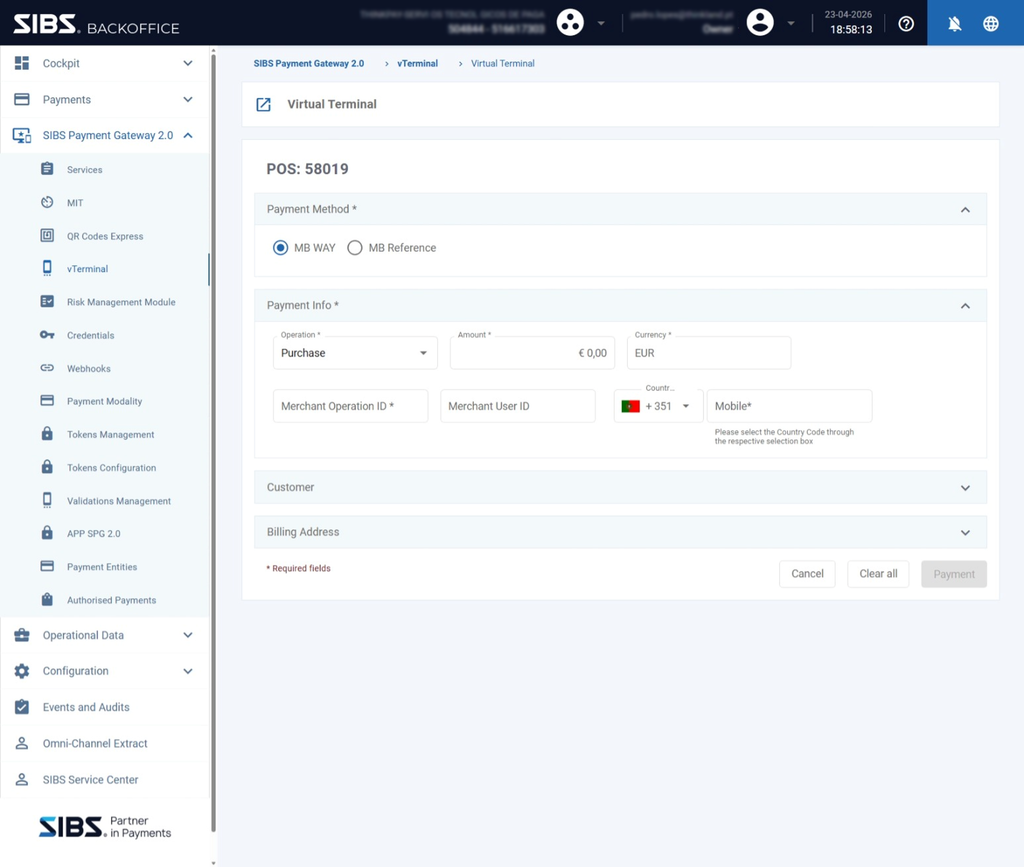
Step 2 – Select Multibanco Reference
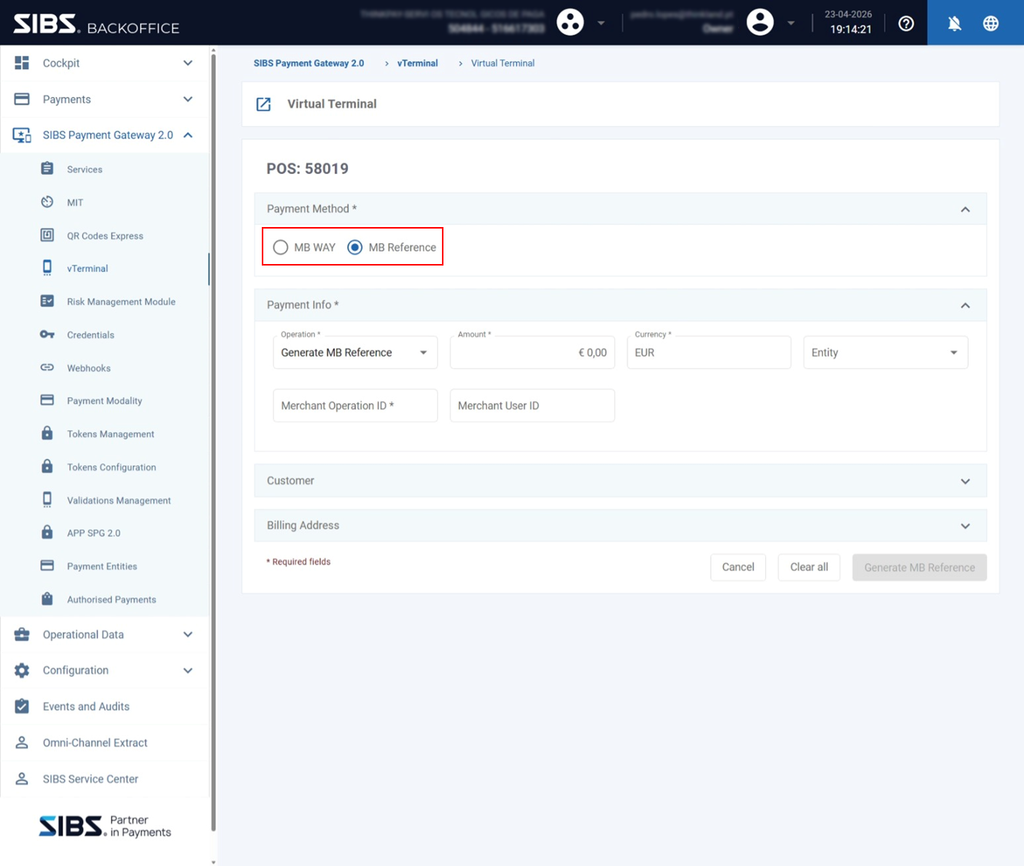
In the Payment Method section:
- Select Multibanco Reference
This activates the form for Multibanco Reference generation.
Step 3 – Configure Operation and Expand Payment Fields
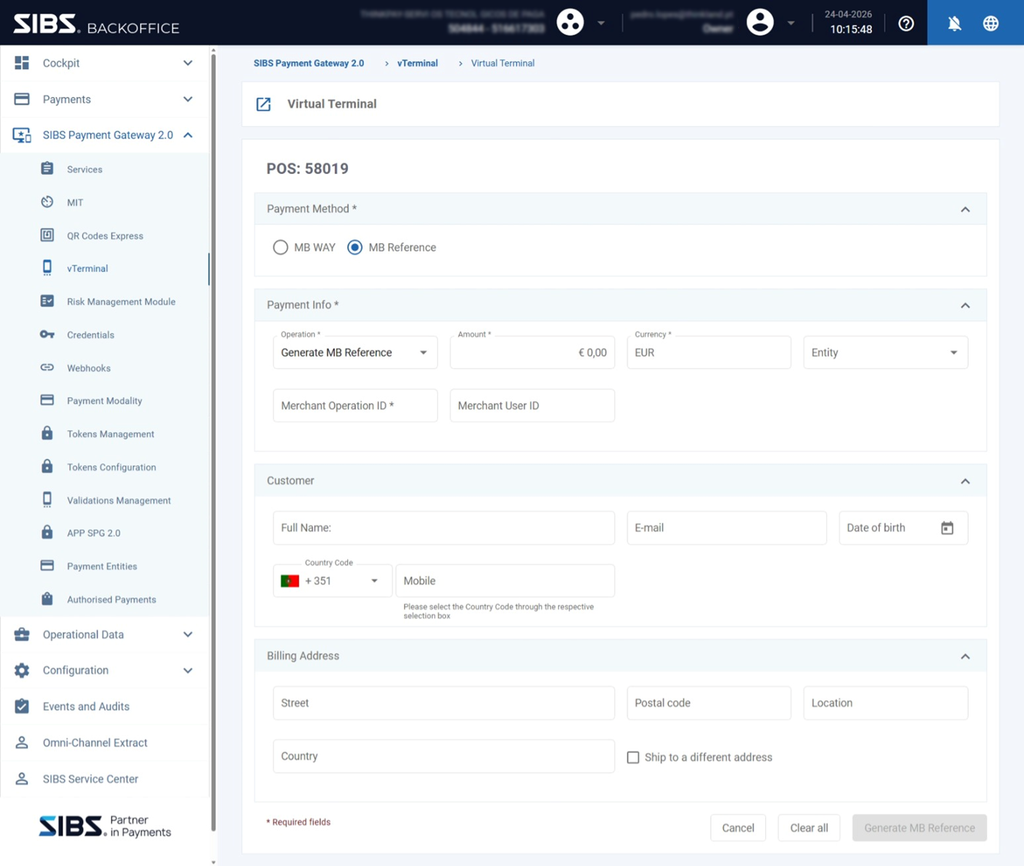
In the Payment Info section:
- Ensure the form is expanded
- Confirm that the operation is set to: “Generate MB Reference“
This enables the required fields for reference creation.
Step 4 – Fill Core Payment Fields and Select Entity
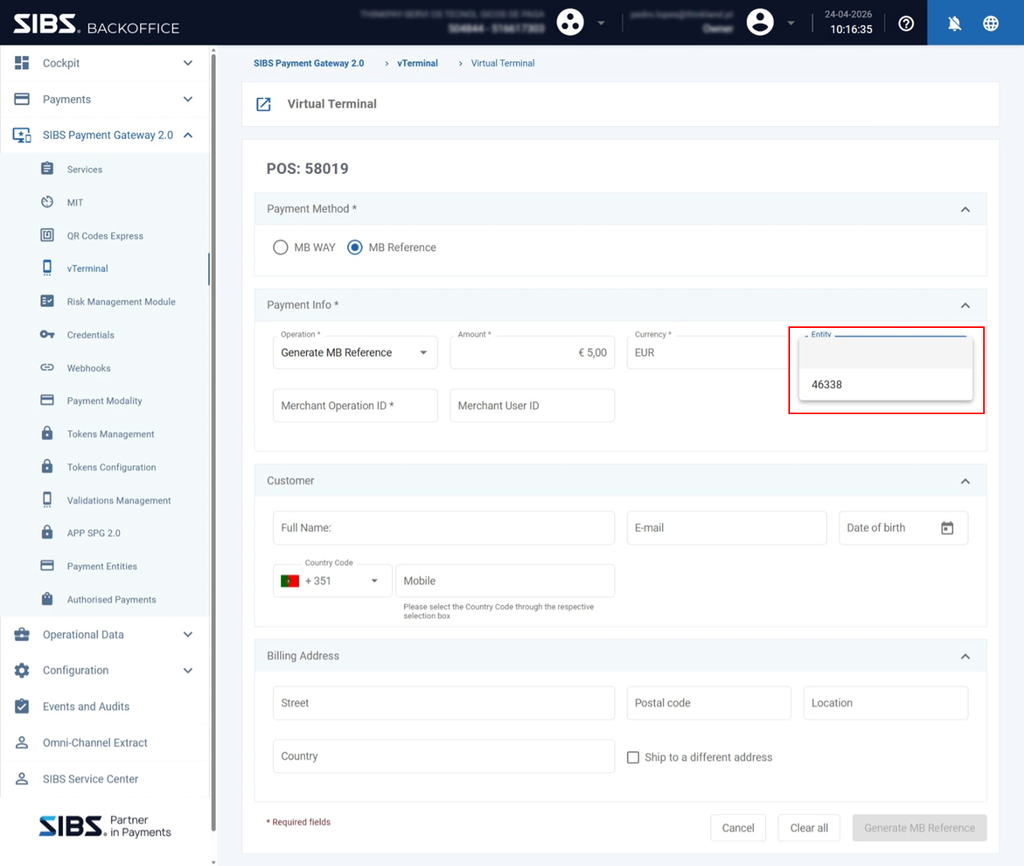
Fill the required fields:
- Amount
- Currency
- Merchant Operation ID
- Entity
Entity Selection
A merchant may have one or more Multibanco entities configured.
The selected entity determines:
- The reference that will be generated
- The processing context associated with the payment
The operator must select the appropriate entity for the transaction.
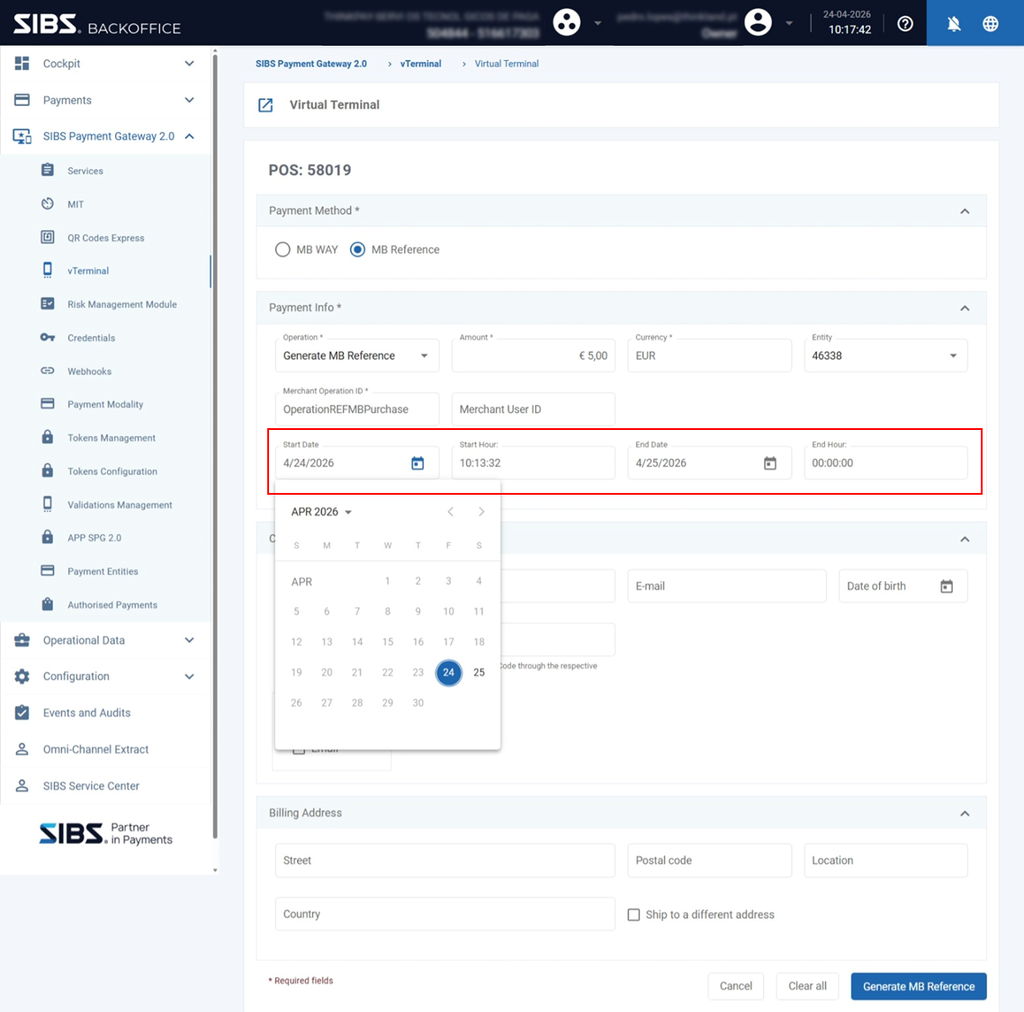
Step 5 – Define Validity Period
Define:
- Start Date / Start Time
- End Date / End Time
Validity Enforcement
The payment can only be performed:
- After the start date/time
- Before the end date/time
Outside this interval:
- The reference is not valid for payment
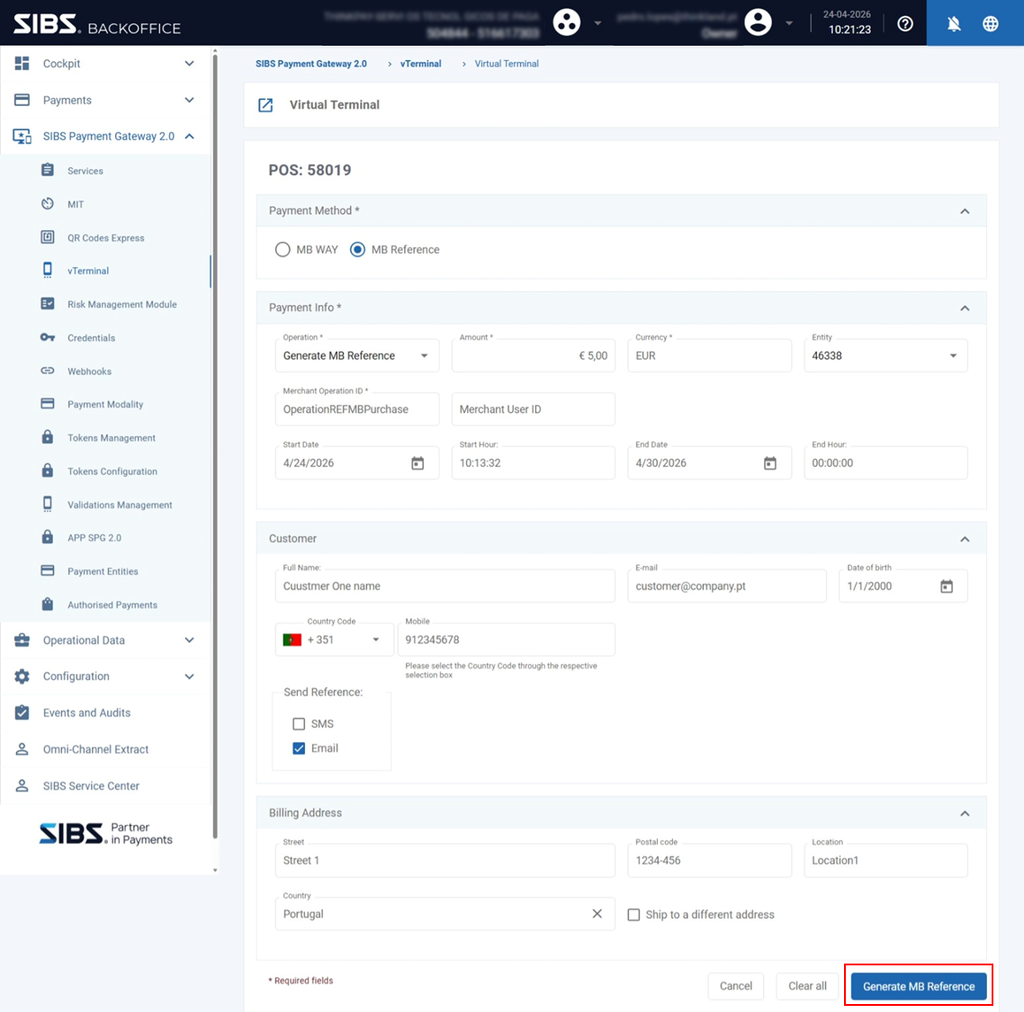
Step 6 – Complete Form and Submit Operation
Optionally fill:
Customer
- Full Name
- Mobile
Reference Delivery Options
- SMS
Billing Address
- Street
- Postal Code
- Location
- Country
All required fields must be completed according to the validation rules of the form.
Then:
Click “Generate MB Reference”
Video Tutorial – Multibanco Reference Generation
The following video provides a practical walkthrough of how to generate a Multibanco Reference through the vTerminal.
Video – Multibanco Reference Generation
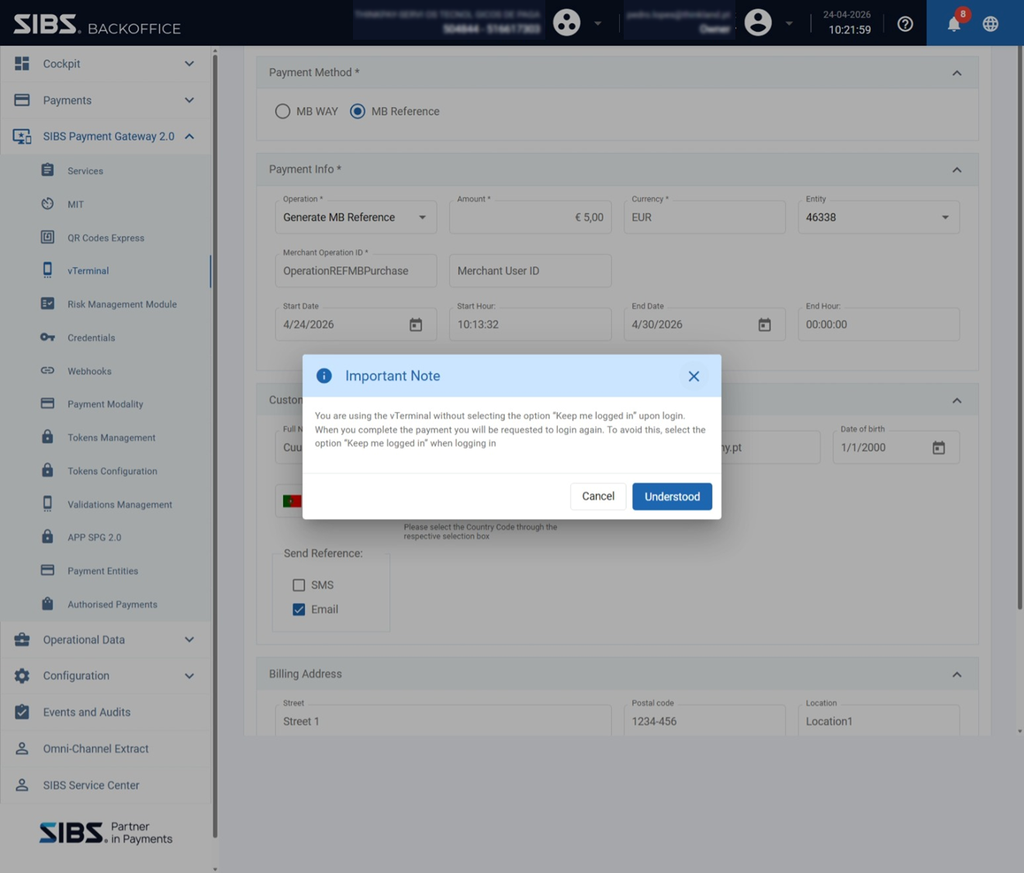
Step 7 – Session Notification (Conditional)
A notification may be displayed indicating:
- The session may not persist
- Authentication may be required again after the operation
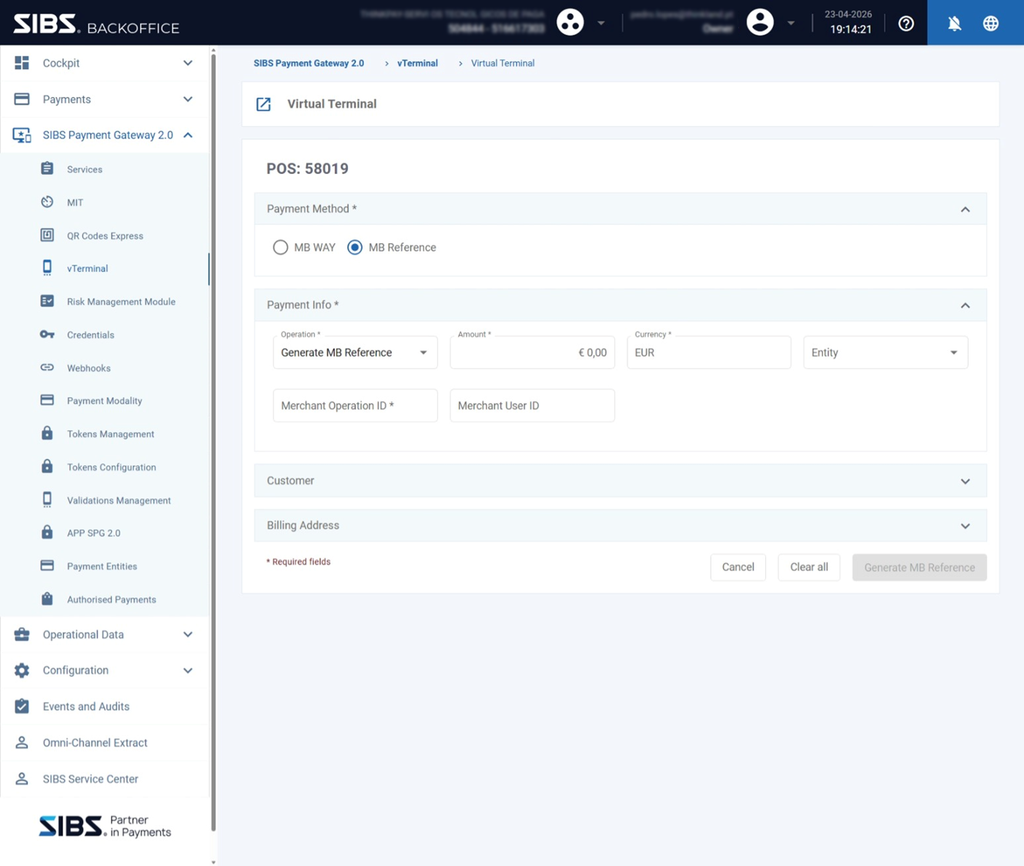
Step 8 – Return to Virtual Terminal
After submission:
- The system returns to the Virtual Terminal screen
- The form is reset for a new operation
No final payment status screen is displayed at this stage, as this operation only generates a reference and does not immediately result in payment completion.
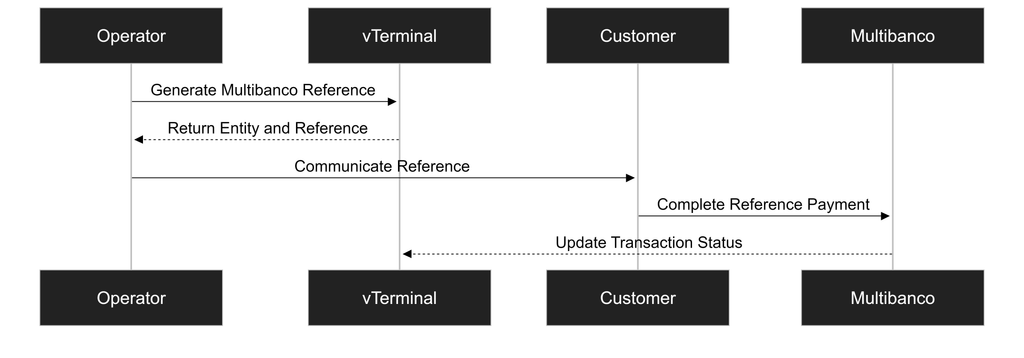
Result of the Operation
Upon successful submission:
- A Multibanco reference is generated
- The reference is associated with:
- Amount
- Entity
- Validity period
This reference must be communicated to the customer, who will complete the payment through Multibanco channels.
Transaction status visibility and payment confirmation follow the same transaction lifecycle principles applied across other SPG transaction channels and can be consulted through the Backoffice status interfaces.
For additional information regarding transaction states, status interpretation, and asynchronous transaction processing, refer to the SPG transaction status and notification chapters of this documentation.
Operational Characteristics
Reference-Based Payment
This operation is based on the generation of a payment reference linked to a predefined transaction context.
Asynchronous Payment Completion
The payment is completed outside the Backoffice, through Multibanco channels, within the defined validity window.
Validity Constraints
The defined validity period:
- Defines the time interval during which the payment can be completed
- Invalidates the reference outside the configured interval
Operator Responsibility
The operator must ensure:
- Correct amount and currency
- Correct entity selection
- Valid and appropriate validity period
- Proper communication of the reference to the customer
Summary
The Multibanco Reference operation in the Virtual Terminal:
- Creates a payment reference tied to a specific transaction
- Requires configuration of entity and validity period
- Enables payment through external channels
- Concludes by returning the operator to the Virtual Terminal for further operations