

Overview
The Virtual Terminal (vTerminal) is a functionality available in the SIBS Backoffice that allows users to manually execute payment operations through a web-based interface.
It is designed for operational use, enabling transactions to be created directly through the SIBS Backoffice interface as part of the SPG operational environment.
Through the vTerminal, users can initiate supported operations such as MB WAY Purchase, MB WAY Authorization (Mandate Creation), and Multibanco Reference generation by completing and submitting the corresponding form.
vTerminal Configuration
Before using the vTerminal, the merchant environment must be appropriately configured in the SIBS Backoffice for the payment operations to be performed.
Depending on the merchant configuration and the payment operation, this configuration may include:
- Application Credentials – Credentials are managed from the Credentials area of the SIBS Payment Gateway. For information on how to create and manage credentials, refer to G.1.7.3 – Credentials.
- Payment Entity – A Payment Entity must be configured when required by the payment operation. In particular, Multibanco Reference generation requires an Entity to be available for selection in the vTerminal. For information on how to configure a Payment Entity, refer to G.1.7.6 – Payment Entity.
The services and payment methods available in the vTerminal depend on the configuration enabled for the merchant account.
Video Tutorial – Configuring the vTerminal
The following video provides a practical walkthrough of the initial configuration associated with the vTerminal in the SIBS Backoffice.
Video – Configuring the vTerminal
Functional Description
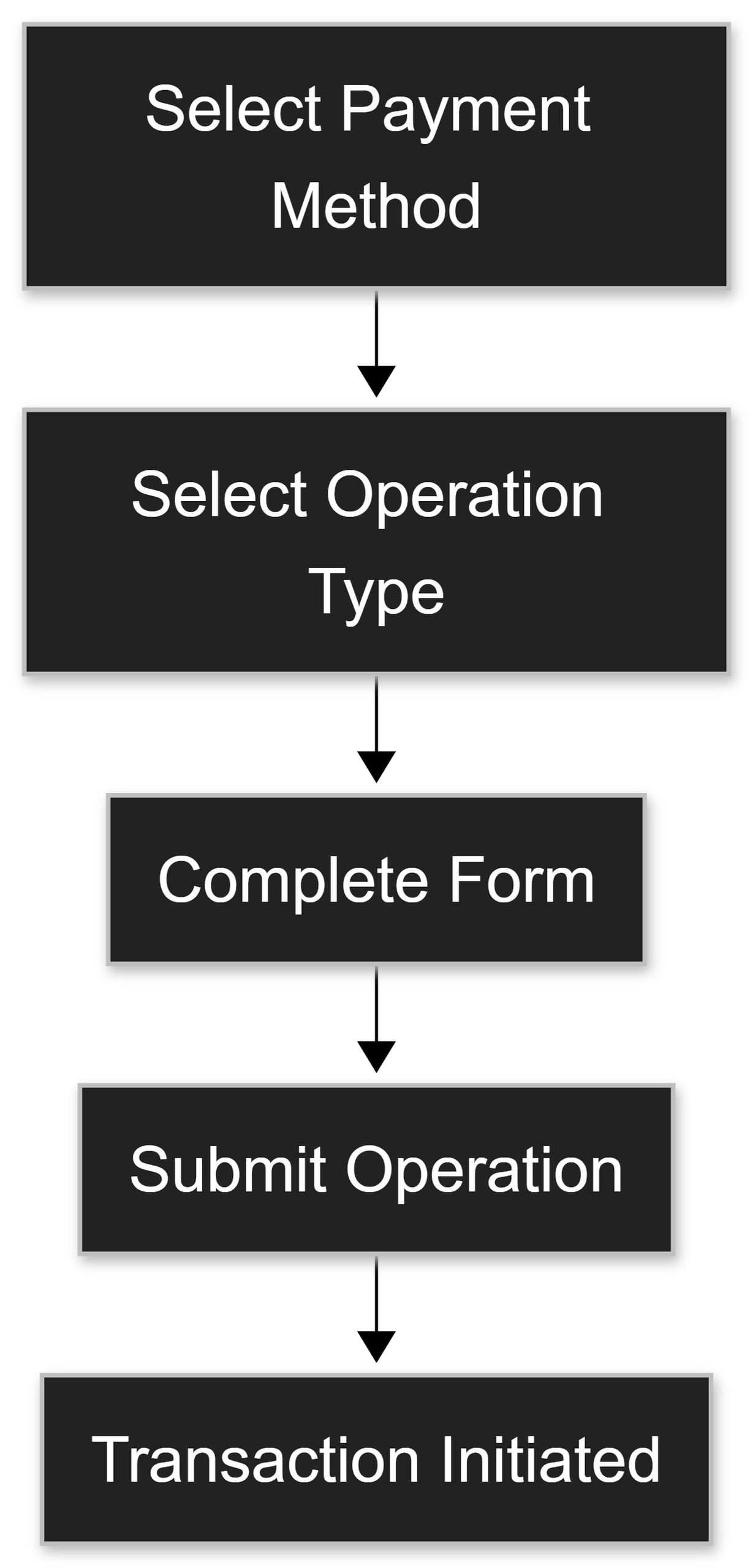
The vTerminal operates as a form-based transaction tool, where each submitted form corresponds to a single operation.
Users access the vTerminal from the Backoffice and, depending on the configuration, may be required to select a terminal (POS) before initiating an operation.
Within the vTerminal interface, the user defines:
- A Payment Method
- MB WAY
- Multibanco Reference
- An Operation type (Payment Mode)
- Purchase – Used for immediate payment operations, such as MB WAY one-off payments
- Authorization – Used for MB WAY mandate creation
- Generate MB Reference – Used for Multibanco Reference generation
The form dynamically presents the fields required for the selected combination of payment method and operation type. These typically include:
- Amount
- Currency (EUR)
- Merchant Operation ID (
merchantTransactionId) - Customer information (when applicable)
- Entity (mandatory for Multibanco Reference)
After completing the required fields, the user submits the form to execute the operation.
Detailed information regarding vTerminal access, navigation, operational forms, and field descriptions is presented in the following vTerminal subchapters of this documentation.
Each submission:
- Creates a single transaction
- Is processed by the SIBS Payment Gateway
- Produces a result that can be consulted in the SIBS Backoffice
Transactions initiated through the vTerminal follow the same transaction lifecycle, operational status visibility, and transaction consultation principles applied to other SPG transaction channels.

Depending on the selected payment method:
- MB WAY (Purchase) sends a payment request to the customer’s mobile device
- MB WAY (Authorization) sends a mandate approval request
- Multibanco Reference generates a payment reference (entity, reference, and amount)
Summary
The vTerminal provides a controlled operational interface for the manual execution of payment operations within the SIBS Backoffice.
It is characterized by:
- A form-driven interface
- Support for MB WAY and Multibanco Reference
- Configuration-dependent availability of payment services and operational parameters
- Clear distinction between Purchase and Authorization operations
- Execution of one operation per submission
This functionality is intended to support operational procedures, assisted transaction handling, and administrative payment workflows, allowing users to create and manage transactions directly through the Backoffice operational interface.