

Overview
The Virtual Terminal is designed to allow operators to manually initiate payment operations directly from the SIBS Backoffice interface.
While the feature simplifies operational execution, it should be used with a clear understanding of its intended purpose, operational limitations, and relationship with broader integration models.
This chapter provides operational guidance for using vTerminal effectively and safely.
Intended Usage Scenarios
The Virtual Terminal is typically used in scenarios where manual payment initiation is required.
Common examples include:
- Assisted payments initiated by customer support teams
- Manual payment processing performed by operational teams
- Exceptional operational scenarios
- Controlled internal operational validation scenarios
- Administrative payment handling
It may also be used when a merchant needs to manually initiate a payment directly through the Backoffice operational interface.
When Not to Use vTerminal
Virtual Terminal should not be treated as a replacement for automated payment integrations.
High-volume payment operations should typically rely on:
- API integrations
- Form Integration models
- Plugin integrations
- Automated SPG integration models
These models provide better scalability for large transaction volumes.
For broader integration model guidance, refer to:
- B.1 – Integration Models – Server-to-Server Integration
- B.2 – Integration Models – Form Integration
- B.3 – Integration Models – Plugin Integration
- B.4 – Integration Models – Comparison and Criteria to Choose
Operator Access Control
Access to Virtual Terminal should be restricted to authorized operational users.
Merchants should ensure that only users with legitimate operational responsibilities can manually initiate transactions.
This helps reduce:
- Unauthorized transaction initiation
- Operational mistakes
- Internal misuse
For broader Backoffice access management guidance, refer to: G.1 – Backoffice SPG
Validate Information Before Submission
Operators should always validate payment data before submitting transactions.
This includes verifying:
- Amount
- Currency
- Customer mobile number
- Customer information
- Billing information
- Reference validity dates
- Selected operation type
Incorrect information may lead to:
- Failed payments
- Failed authorizations
- Expired references
- Customer frustration
- Additional operational overhead
Understand Asynchronous Payment Behavior
Many payment operations initiated through vTerminal do not complete immediately.
Examples include:
- MB WAY customer approval flows
- MB WAY authorization flows
- Reference-based payments
Operators must understand that:
- Transaction submission does not guarantee a successful final transaction state
- Final confirmation may occur later
- Customer action may still be required
For broader asynchronous processing guidance, refer to:
- C. Meta Information, Codes and Transaction States
- E.1 – Webhooks (Notifications)
- E.2 – Status Inquiry / Get Status
- G.2.7 – Result of the Operation
Monitor Transactions After Submission
After initiating transactions, operators should continue monitoring transaction outcomes.
This may involve:
- Reviewing transaction dashboards
- Searching transaction lists
- Checking transaction details
- Validating final transaction states
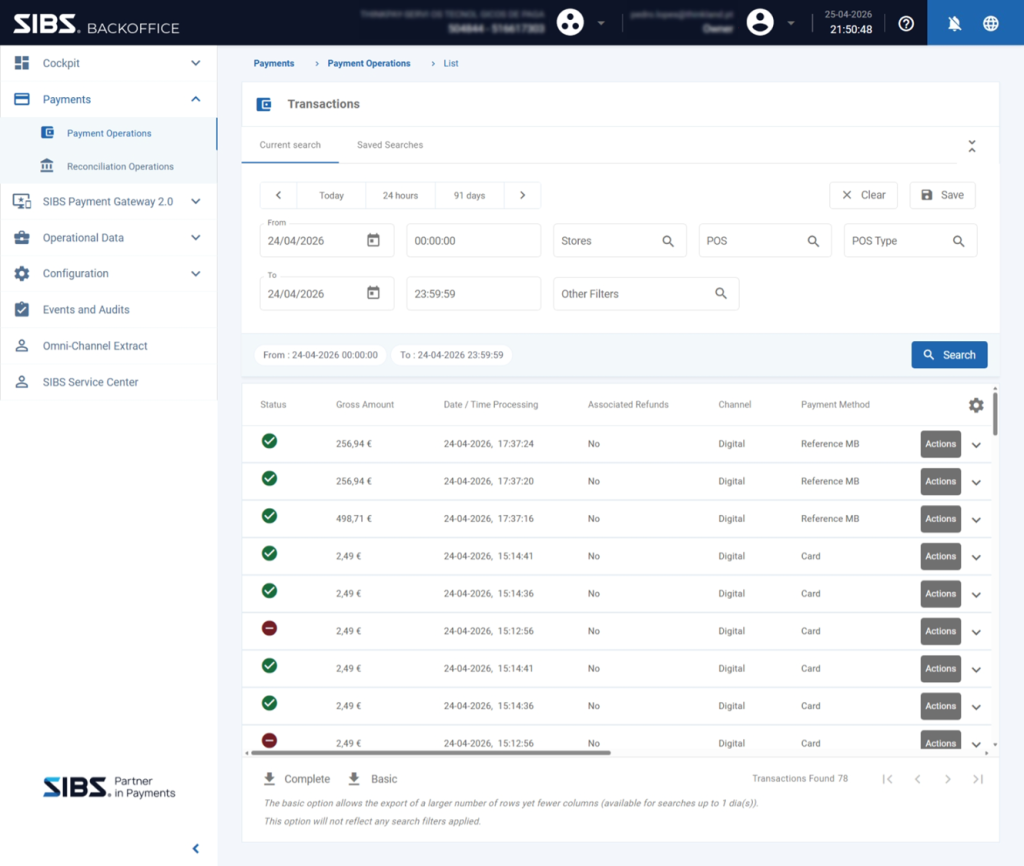
For broader transaction monitoring guidance, refer to:
Avoid Duplicate Operations
Operators should avoid unintentionally submitting duplicate transactions.
Before retrying an operation, verify whether:
- The original transaction was already submitted
- The transaction remains pending
- Customer action is still pending
- A final transaction state has already been reached
Duplicate submissions may create:
- Duplicate payment requests
- Duplicate authorizations
- Operational confusion
Maintain Transaction Traceability
Operators should preserve transaction traceability by maintaining accurate identifiers.
Particular attention should be given to:
- Merchant Operation ID (
merchantTransactionId) - Transaction identifiers
- Customer references
These identifiers support:
- Reconciliation
- Support investigations
- Operational audit processes
Operator Accountability
Because vTerminal operations are manually initiated, merchants should maintain clear internal accountability regarding who is authorized to execute transactions.
Organizations should ensure:
- Appropriate role assignment
- Controlled access permissions
- Internal operational approval processes (when applicable)
- Audit visibility over manually initiated transactions
This becomes particularly important for:
- High-value transactions
- Sensitive customer operations
- Internal compliance requirements
For broader Backoffice user access controls and operational permissions, refer to G.1 – Backoffice SPG.
Understand vTerminal Scope
Virtual Terminal is responsible for manually initiating transactions.
It does not replace:
- Integration architecture
- Automated reconciliation systems
- API-based recurring collection flows
- Broader payment orchestration models
It should be treated as an operational execution tool within the broader payment ecosystem.
Summary
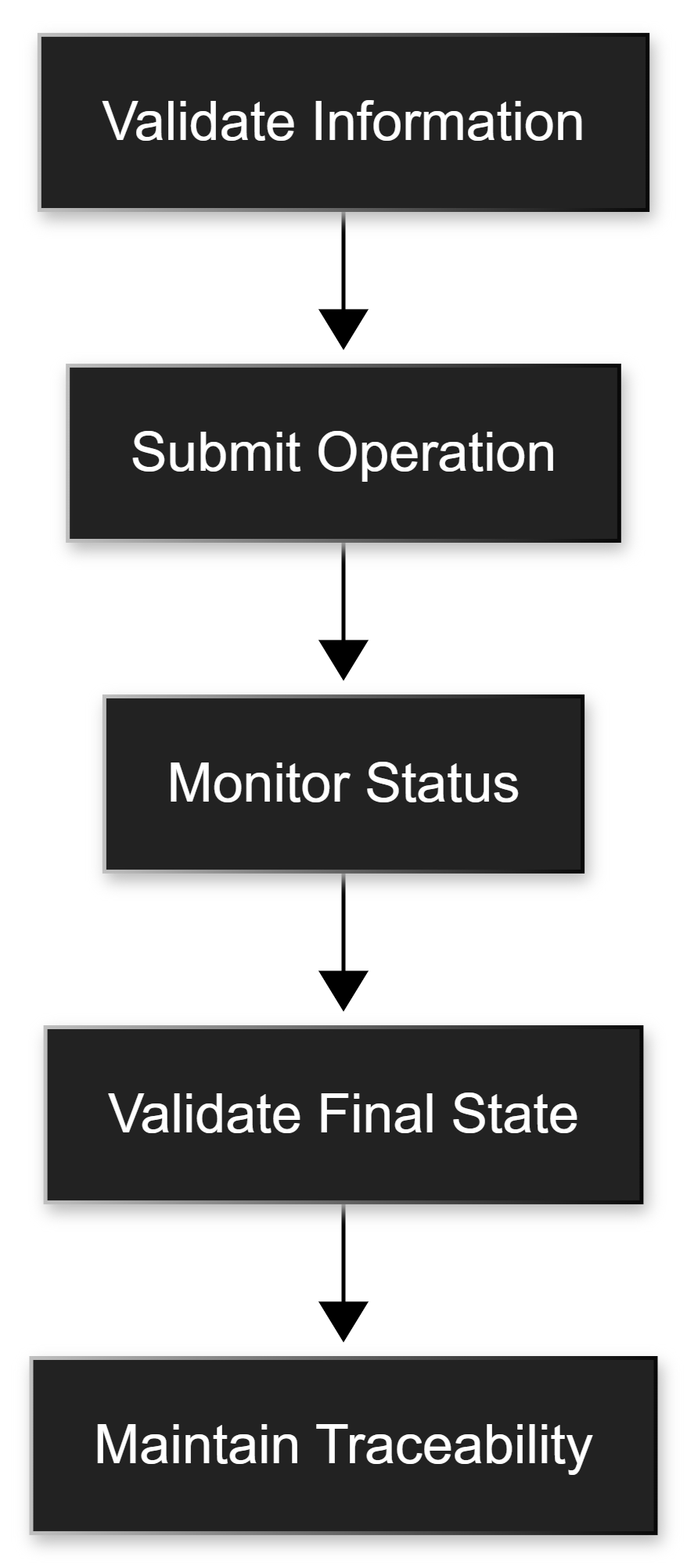
Virtual Terminal provides merchants with operational flexibility for manually initiating transactions.
To use it effectively, operators should:
- Submit transactions carefully
- Validate information before execution
- Understand asynchronous behaviors
- Monitor final outcomes
- Maintain proper transaction traceability
- Maintain proper operational accountability
When used correctly, vTerminal becomes an effective operational interface that complements broader SIBS payment integration models rather than replacing them.